Signup guide
Get access to orosy: sign up, get approved, connect
orosy connects your sales channel to wholesale sourcing from Japan. This guide walks you through the sign-up, the review step, and getting your API key, then connecting over MCP.
The portal UI is in Japanese. Every screen below is annotated in English so you know exactly what each field asks for.
01What you get
- One API for ~200,000 wholesale products from Japan. Search the catalog, build a cart across multiple suppliers, place orders, and pull invoices, all through
https://wholesale-api.orosy.com. - The same catalog is reachable by AI agents over MCP. Connect Claude or another MCP client and let it search products and build carts. You stay in control of the final order.
Authentication is a single API key (Authorization: Bearer orosy_...). No OAuth. If curl runs, you can start.
02Sign up
Go to wholesale-portal.orosy.com/signup.
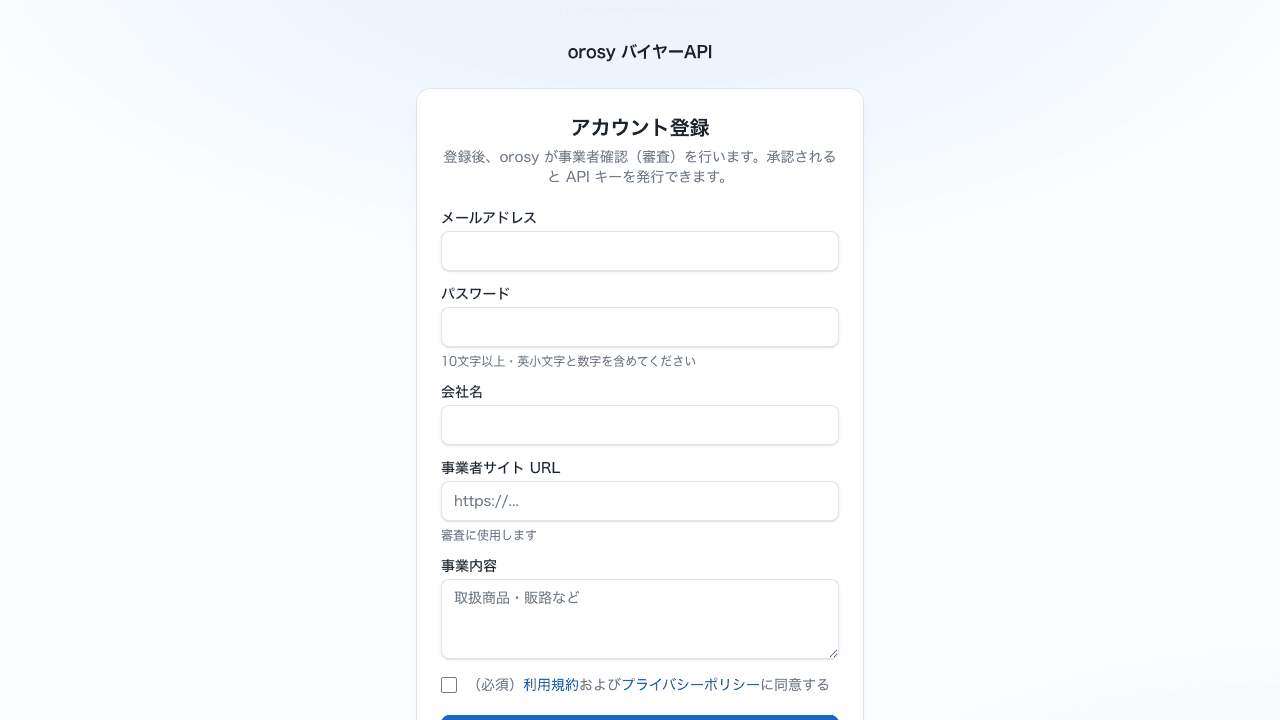
Below the heading the form notes: after you register, orosy verifies your business (a review step). Once approved, you can issue an API key. Here is what each field means:
| Japanese label | What it means | Notes |
|---|---|---|
| メールアドレス | Email address | Your login ID |
| パスワード | Password | Minimum 10 characters, must include lowercase letters and numbers |
| 会社名 | Company name | |
| 事業者サイト URL | Your business website URL | Used for the review |
| 事業内容 | About your business | Products you carry, sales channels, etc. Used for the review |
| 利用規約およびプライバシーポリシーに同意する | I agree to the Terms of Service and Privacy Policy | Required checkbox |
| 登録する | Register (submit button) |
Give the review a real website and a clear line about what you sell and where. Those two fields are what orosy reads when deciding on approval.
After you submit, check your inbox: a verification email arrives first. Click the link to confirm your address, and your account moves into review.
03Approval
The path is: register → verify your email → browse in test mode → business review → approval email.
orosy reviews each account to confirm it is a real business. While the review runs, you can look around the portal in test mode (browsing only; API keys are issued after approval). You will get an email when your account is approved, and API access opens at that point. While you wait, read the API reference (next section) so you are ready to build the moment the email lands.
04Get your API key
API keys are issued and managed inside the portal after your account is approved. Log in at wholesale-portal.orosy.com/login with the email and password you registered.
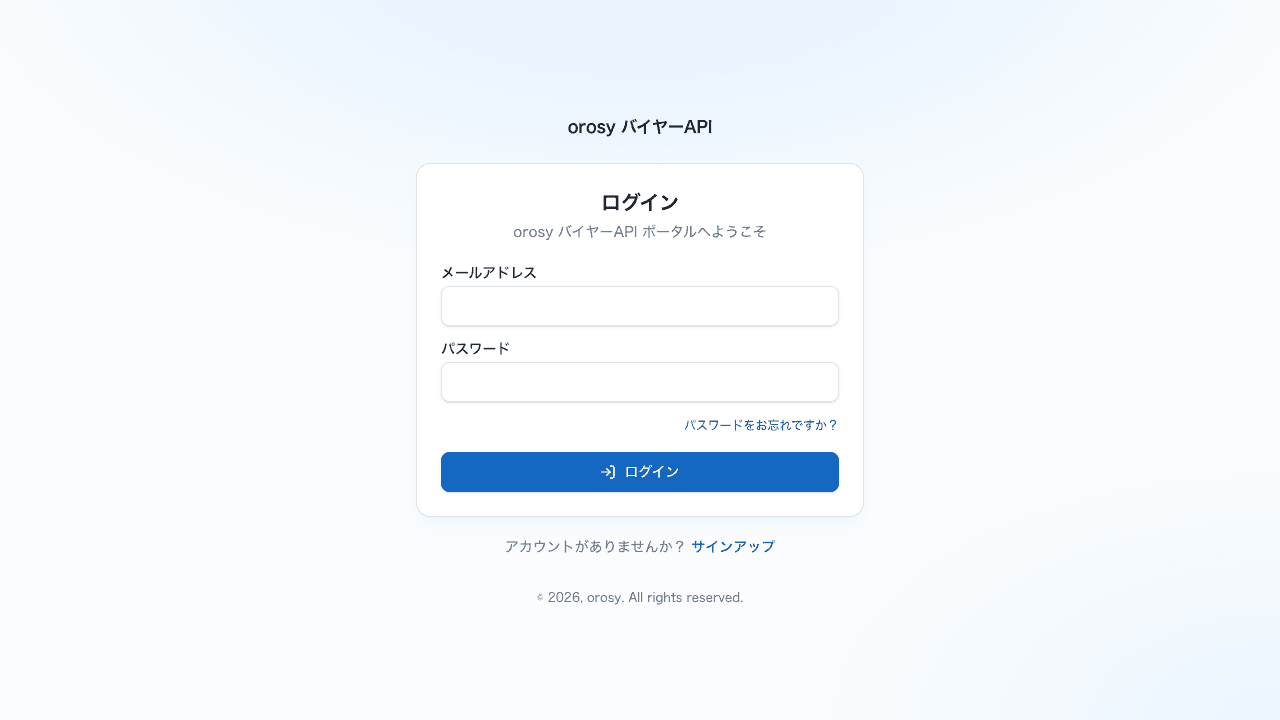
The full API reference lives at wholesale-api.orosy.com/docs. A quick check that your key works:
curl https://wholesale-api.orosy.com/v1/products \
  -H "Authorization: Bearer $OROSY_API_KEY"
Core endpoints (see the reference for the full list):
GET /v1/products— search the catalogGET /v1/products/{product_id}— product detailGET /v1/cart · PUT /v1/cart/items— build a cart across suppliersPOST /v1/orders— place an orderGET /v1/orders · GET /v1/orders/{order_id}— order statusGET /v1/health— liveness check, no auth needed
05Connect over MCP (for Claude)
The same catalog is exposed as an MCP server, so an AI agent can search products and build carts for you. Add it to Claude with your approved API key:
claude mcp add --transport http orosy \
  https://wholesale-api.orosy.com/mcp \
  --header "Authorization: Bearer $OROSY_API_KEY"
Once connected, you can ask your agent things like “find 10 kitchen items in stock” and it will call the catalog for you. The agent searches and builds the cart; you approve the final order.
Questions?
Email support-retail@orosy.com and we will help you get connected. Not ready to build yet? Join the early-access list and we will tell you the moment international delivery opens.